Synthesia Piano App Alternative: Why Real Sheet Music Beats Falling Notes
Reviewer disclosure
We make MasterPiano, one of the apps compared on this page. This is our honest take on the trade-offs, so read it with that in mind. See how we write comparisons, and tell us if anything here is wrong.
Synthesia is fun. Falling notes feel satisfying. But after a few months, most pianists realize they can't read a note of music without the app running. If that sounds familiar, here's what to use instead.
Practice free for 10 minutes a day. No credit card required.
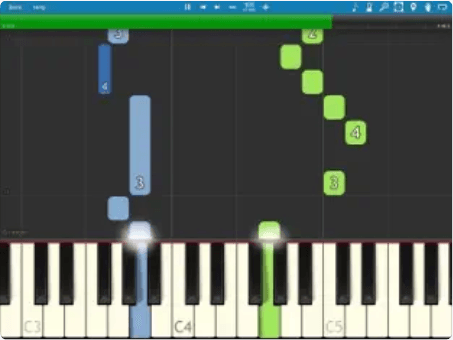
Synthesia: falling colored blocks
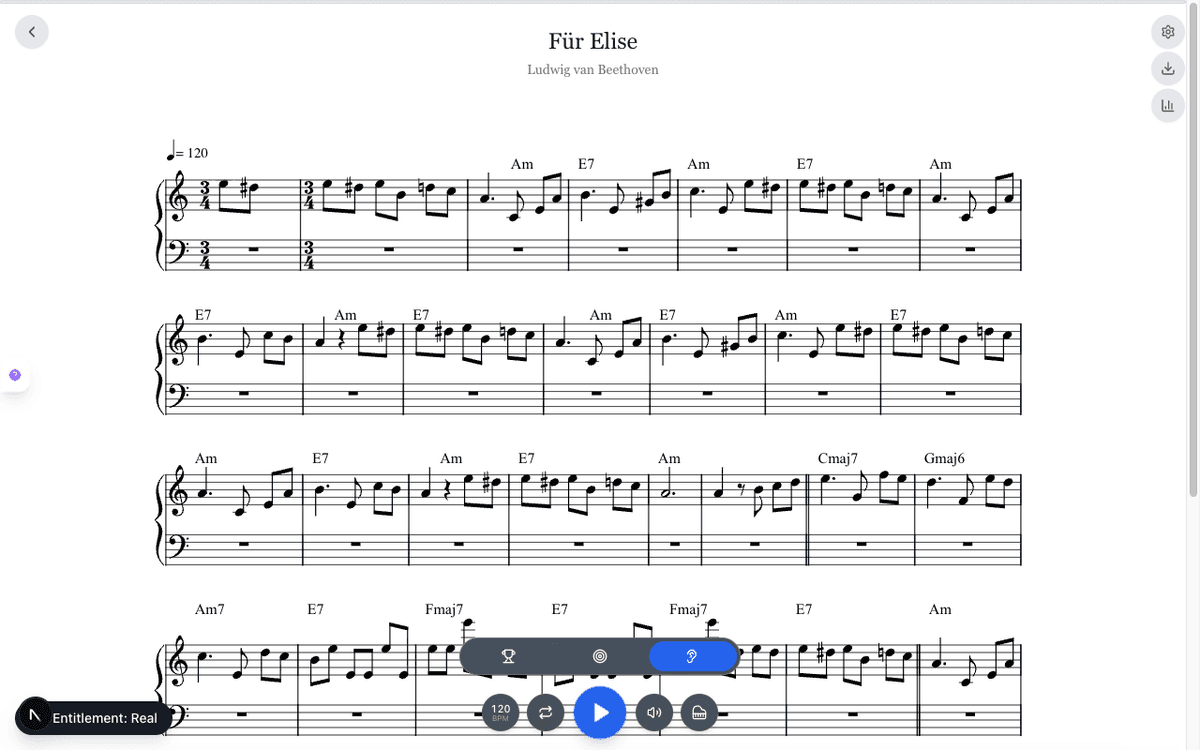
MasterPiano: real sheet music notation
The Problem With Falling Notes
Synthesia works like Guitar Hero for piano. Notes fall, you press keys, the song plays. It feels like progress, but here is what it skips.
As piano teacher Zach Peterson puts it: "Just learning which keys to press takes you really only about 10% of the way there!" Synthesia skips dynamics, phrasing, fingering, hand position, and everything else that makes music music. Research shows expert sight readers look 6-7 notes ahead while playing (Imai-Matsumura & Mutou, 2021), a skill falling notes completely bypass.
No sheet music reading
You follow colored blocks, not notation. Take Synthesia away and you're starting from zero.
No dynamics or expression
No crescendos, accents, legato, or phrasing: the things that make music sound like music.
No technique development
No scales, arpeggios, or chord exercises. No fingering guidance. No hand independence work.
No structure
You pick songs randomly. No curriculum, no graded progression, no sense of what to learn next.
This is not just our opinion. PianoSightReading.com.au, a piano pedagogy site, warns: "The dangers of using Synthesia, especially with the falling notes only, far outweigh potential benefits because you risk forming many bad habits that will hinder your progress." Pianoers.com adds: "Once you unplug from Synthesia, many people are lost because they did not actually learn the song. They learned to follow lights."
What MasterPiano Does Differently
Same MIDI keyboard, same instant feedback, but real sheet music and everything Synthesia leaves out.
Real sheet music
Professional notation with treble/bass clef, key signatures, dynamics. Practice the way you'd perform.
MIDI accuracy tracking
Per-note accuracy % on every piece, not just Synthesia's pass/fail “wait for you” mode.
Adaptive difficulty
Pieces automatically match your level and get harder as you improve. Always challenged, never overwhelmed.
Structured technique
6 skill categories (scales, arpeggios, chords, ear training, sight-reading, and repertoire) in one practice system.
6,500+ leveled pieces
Every piece has a numeric difficulty from Level 1 to 100. Browse by composer or level, no random MIDI files.
Streaks & leaderboard
Practice streaks, weekly stats, competitive leaderboard, and detailed progress tracking across all skills.
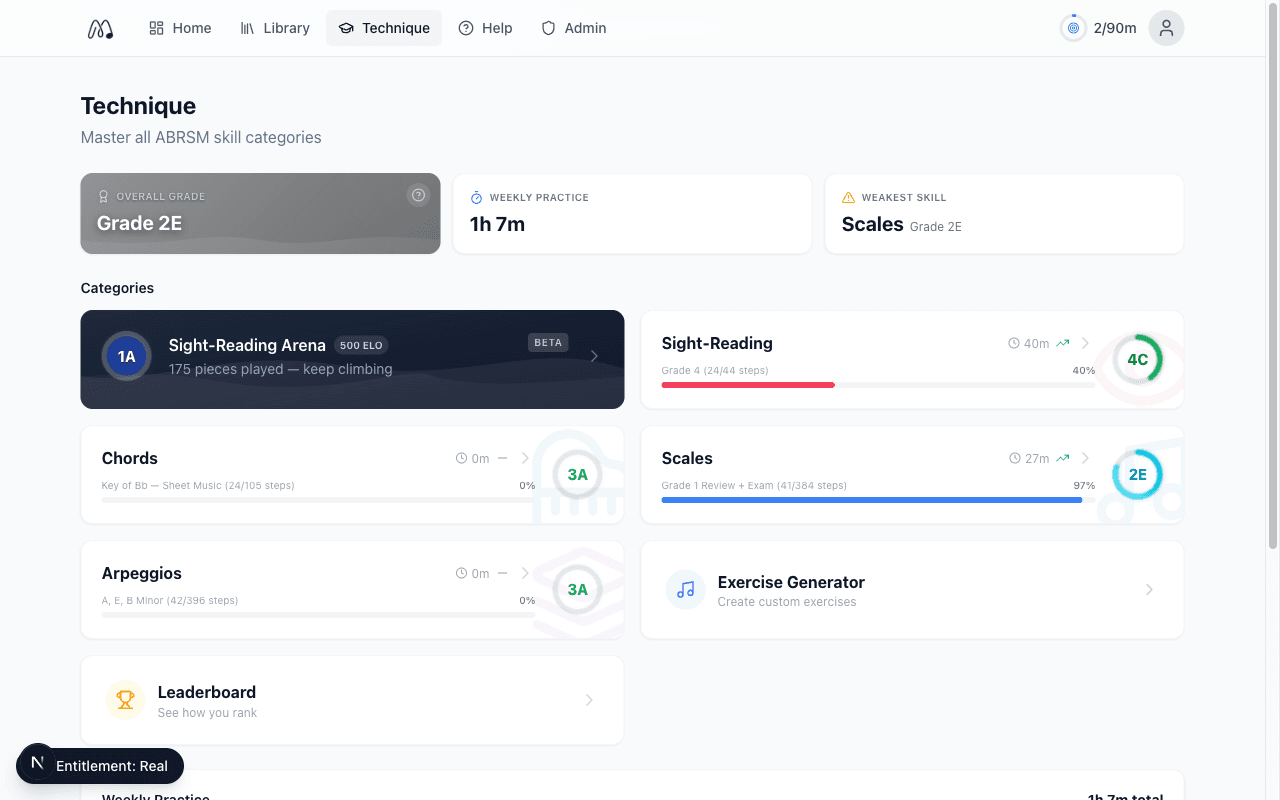
Technique curriculum: 6 skill categories in one structured practice system. Synthesia has nothing like this.
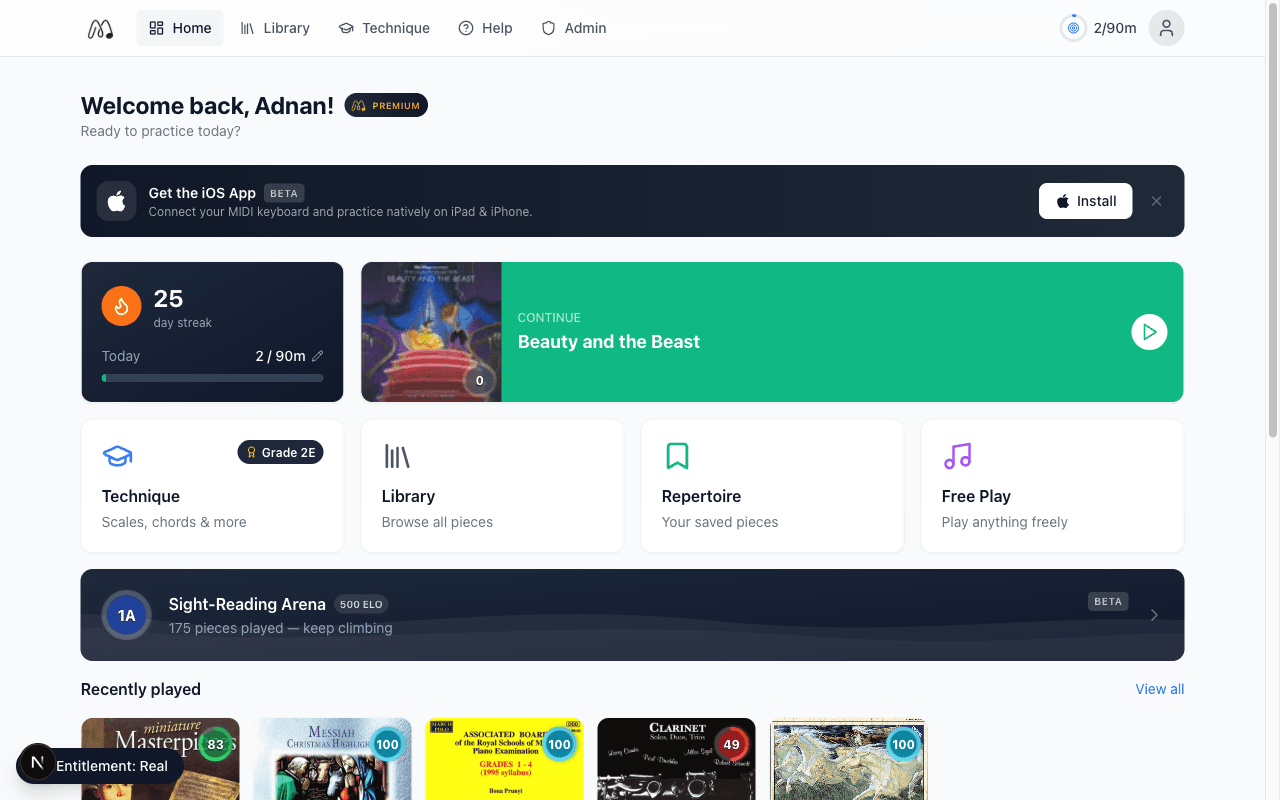
Dashboard: practice streaks, weekly stats, leaderboard, and progress tracking across all skills.
Synthesia vs MasterPiano: Feature Comparison
| Feature | MasterPiano | Synthesia |
|---|---|---|
| Music display | Real sheet music notation | Falling colored blocks |
| Teaches sight reading | Yes, core focus | No |
| MIDI keyboard | USB & Bluetooth, in-browser | USB & Bluetooth, native app |
| Accuracy tracking | Per-note accuracy % | Pass/fail only |
| Adaptive difficulty | Automatic leveling | Manual: pick any file |
| Piece library | 6,500+ pieces across 100 levels | 150 included + import your own MIDI |
| Scales & technique | 6 structured skill categories | None |
| Fingering guidance | Automated suggestions | None |
| Dynamics & expression | Shown in notation | Not supported |
| Curriculum | 100-level sight-reading progression | None |
| Progress system | 100-level system + weekly stats | Basic song completion |
| Platform | Web + iOS | Windows, Mac, iOS, Android |
| Pricing | Free / from $8.33/mo (billed yearly) | ~$39 one-time |
| Custom MIDI import | MusicXML upload (Premium) | Any MIDI file |
Where Synthesia Is Still Better
We're not going to pretend Synthesia has no advantages. Here's where it genuinely wins:
Price
Synthesia is a one-time purchase of ~$39. MasterPiano is a subscription. If you just want to play songs casually, Synthesia is cheaper long-term.
Import any MIDI file
Load any MIDI file: pop songs, game soundtracks, anime themes. MasterPiano's library is curated classical and educational repertoire.
Platform support
Synthesia runs on Windows, Mac, iOS, and Android. MasterPiano is web-based with an iOS app. No Android app yet.
Lower barrier to entry
Zero music knowledge needed. You see colors, you press keys. For someone who just wants to play a song tonight, it works.
Who Should Switch From Synthesia
Can't read music
“I've been using Synthesia for months but I can't read sheet music.”
MasterPiano teaches real notation from day one, with MIDI feedback so you still get instant gratification.
Wants real progress
“I want to actually get better, not just learn songs.”
MasterPiano's 8-grade curriculum covers scales, arpeggios, chords, ear training, sight reading, and repertoire.
Exam prep
“I'm preparing for ABRSM or graded exams.”
ABRSM-aligned curriculum with graded progression across all technique categories and dedicated sight-reading training.
Teacher recommended
“My piano teacher told me to stop using Synthesia.”
MasterPiano is the tool teachers actually want students using: real notation, proper technique, structured progression.
Who Should Stay With Synthesia
Synthesia is fine if:
You play piano purely for fun with no interest in reading music or building technique
You want to learn specific pop/game/anime songs quickly by pressing the right keys
You prefer a one-time payment over a subscription
You need Android support
There's nothing wrong with using Synthesia casually. But if you want to become a pianist, not just someone who can follow falling notes, you need a different tool.
See our full comparison of 10 piano learning apps, or check out the best free piano apps. Compare Flowkey alternatives, Simply Piano alternatives, or Playground Sessions alternatives.
Frequently Asked Questions
What is the best alternative to Synthesia for piano?
MasterPiano is the best Synthesia alternative for pianists who want to build real skills. It replaces falling notes with professional sheet music, adds real-time MIDI feedback, and organizes 6,500+ pieces across 100 numeric levels. It's free to start with 10 minutes of daily practice.
Why do piano teachers recommend against Synthesia?
Most piano teachers advise against Synthesia because falling notes bypass sheet music reading entirely. Students can play songs inside the app but can't read music outside it. Synthesia also doesn't teach dynamics, phrasing, fingering, or musical expression, elements that make up the vast majority of real piano playing.
Can you actually learn piano with Synthesia?
You can learn to press the right keys in the right order. But most pianists hit a wall after a few months. Without learning to read sheet music, understand harmony, or develop proper technique, Synthesia users struggle to play anything they haven't memorized inside the app.
Is MasterPiano free?
Yes. MasterPiano has a free tier with 10 minutes of daily practice, access to browse 6,500+ pieces, and full MIDI keyboard connection. Premium is $19.99/month, or $99.99/year billed annually ($8.33/month) with a 7-day free trial, for unlimited practice and the full technique curriculum.
Does MasterPiano work with my MIDI keyboard?
MasterPiano connects to any standard MIDI keyboard via USB or Bluetooth directly in your browser, no software installation needed. It provides real-time note-by-note feedback with accuracy tracking on every piece.
Ready to Read Real Music?
Connect your MIDI keyboard and start practicing with real sheet music. 6,500+ pieces across 100 levels. Free to start, no credit card required.
Start Free With MasterPiano